

Why do I need to submit meter readings?
If your student house has a smart meter, its very simple, it automatically sends your energy usage to your provider.
But if you don’t have a smart meter, submitting readings manually is just part of tenant-house life.
It might feel like a chore, but it’s actually really important:
- Accurate bills – Your gas and electricity meters show exactly how much energy you’ve used. Sending these readings to your energy supplier ensures your account is completely up to date.
- No estimated guesswork – Without regular readings, providers estimate your usage. Estimates can be way off, which can mean surprise charges later.
- Avoid mix-ups in shared buildings – In student flats or houses with multiple meters, submitting readings regularly helps ensure the right property is being billed.
- Spot issues early – If something unusual shows up in your usage, your provider can flag it quickly — much easier than discovering a problem months down the line.
Where are my meters?
Energy meters aren’t always in obvious places — and sometimes they’re hidden surprisingly well. The meter locations can be found in your inventory from when you moved into the property.
Here are some common spots:
- Outside in a wall-mounted meter box (you may need a key — your landlord or letting agent should provide this)
- Under the stairs
- Inside a kitchen cupboard
- In a living room cabinet
- In the cellar or basement
- In the hallway
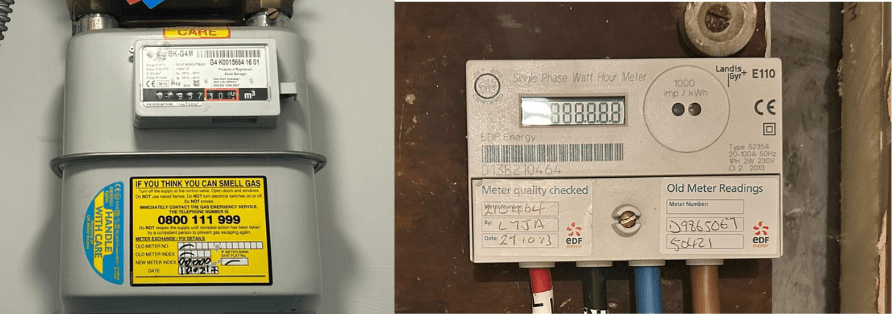
What do my meters look like?
Gas and electricity meters are usually small wall-mounted boxes with either:
- A digital display (numbers on a screen), or
- An analogue display (dials or mechanical counters)
Gas meters usually measure in m³, ft³, or volume, while electricity meters show readings in kWh.
If your digital electricity meter looks blank, try pressing the “on” button or the number 9 (if it has a keypad) to wake the display.
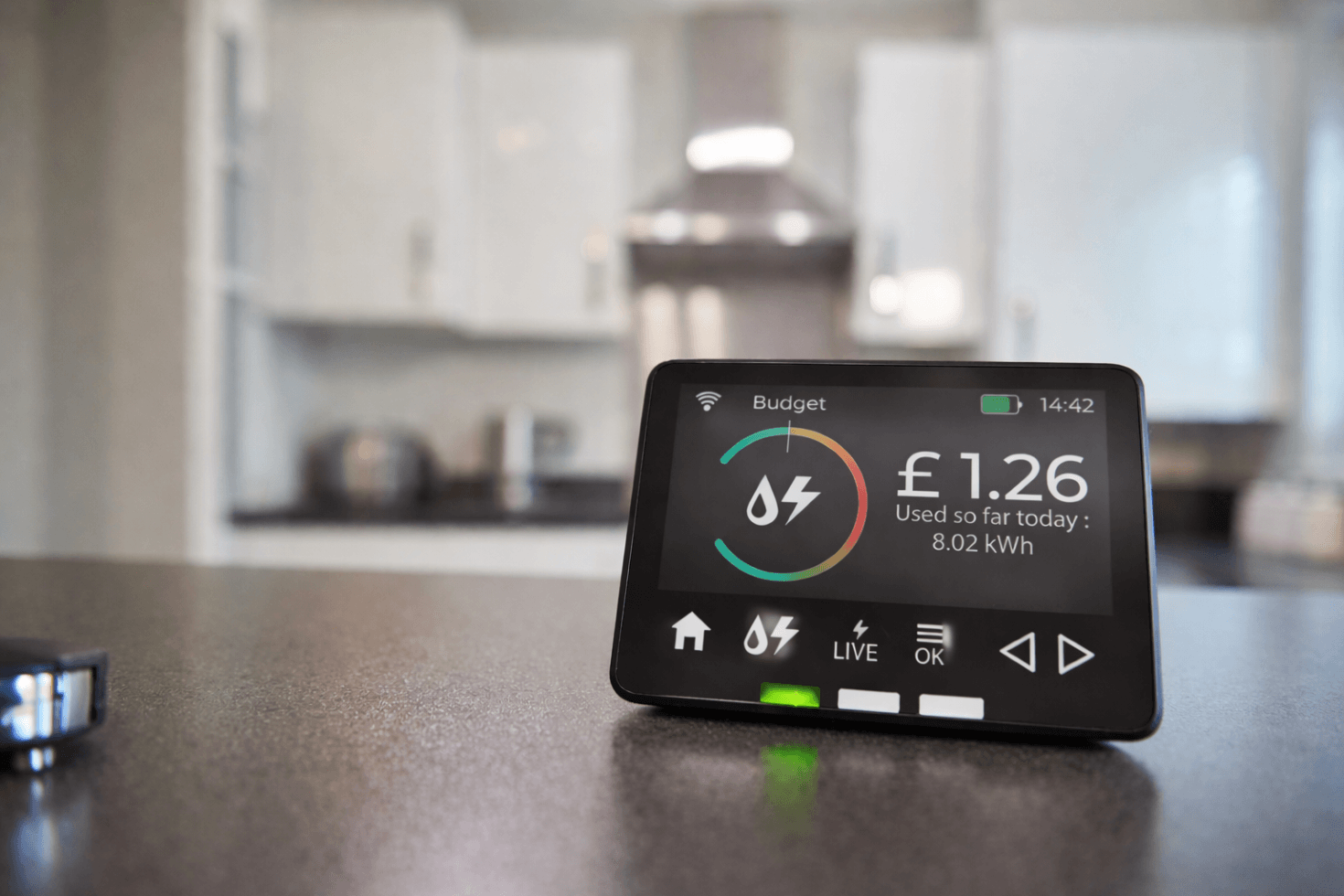
How do I know if I have a smart meter?
Smart meters look similar to traditional meters, but they come with a portable in-home display screen that shows real-time energy usage.
If you’ve got one of those little monitors sitting in your kitchen or living room showing how much energy you’re using, you likely have a smart meter — which means readings are sent automatically.
No manual submissions needed. 🎉
How do I read my electricity meter?
It’s simpler than it sounds.
- Read the numbers from left to right
- Ignore any red numbers
- Ignore numbers after a decimal point or comma
If your meter has dual rates (two sets of numbers), write down both readings.
For digital meters, record the number shown on the screen labelled “total” (or cycle through screens until you find the total reading).